
Templates for PowerPoint, Keynote and Google Slides in "Edge" design
We've thought outside the box - and have provided you with 155 slide templates for your next PowerPoint, Keynote or Google Slides presentations. Your advantage: You can simply skip the entire layout process and focus on your content straight away.
- 155 different slide templates in "Edge" design, applicable in PowerPoint, Keynote and Google Slides
- Large selection: e.g. title slide, diagram slides, slides for facts and figures, timelines
- 16:9, 4:3 or A4 - quickly adapt all templates to the desired format
- Bonus: 19 icons; map graphics of the world, Europe, Germany, Austria and Switzerland
Download the slides and pack in the content - that's all there is on the to-do list for preparing your next presentation. Let's go!
-
Usable with:
-
- content:
465
Assets/Templates
- Licence: private and commercial Rights of use


Examples of use
-
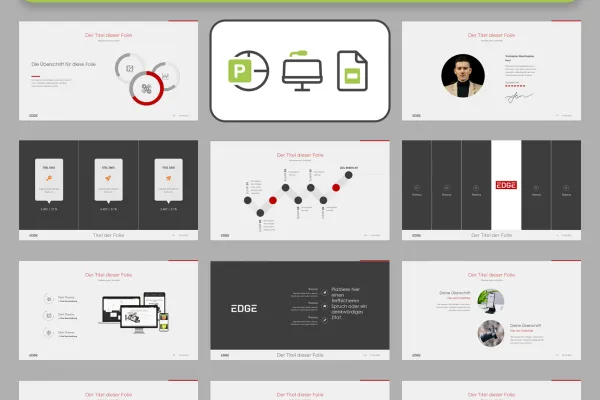 You will find these slides, among others, in the template.
 -
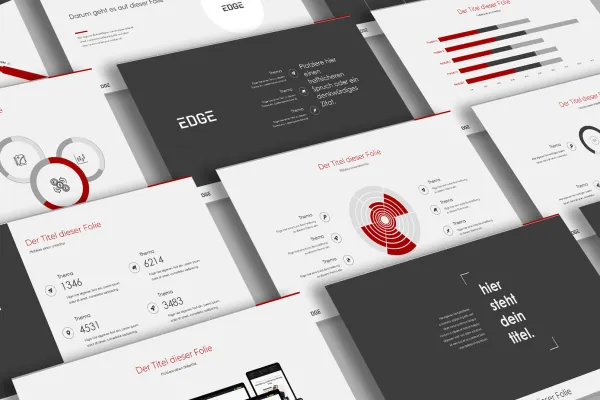 Take out the foils you need and simply adjust them.
 -
 Create modern presentations that leave an impression on your audience.
 -
 Use the slides to introduce employees, for example.
 -
 Simply place your content in the prepared placeholders.
 -
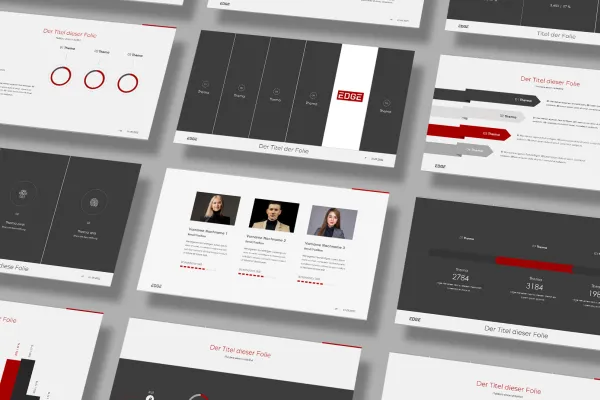 Color, text, images - simply transform the templates in PowerPoint, Keynote or Google Slides into your presentation!


Templates in Edge design for PowerPoint, Keynote, and Google Slides


Other users are also interested

For complete business equipment

Effectively create modern slides

How to build trust with customers

From the business card to the roll-up

Create, set up & optimize online advertising

Quickly create high-quality business equipment

With flyer, business card & Co.

Fully equipped from flyer to roll-up